Just Your Type — The Stoked Dispatch, November 2026
Welcome to The Stoked Dispatch.
About a year into an advocate program, every brand learns the same thing: your advocates aren’t all alike, and some of them aren’t even people. There’s the owner who’ll happily tell a stranger whether the bike fits in a one-car garage. There’s the sponsored rider who gets a bigger reward and plays by a different playbook. There’s the shop down the street that carries your product. And there’s the demo library where anyone can try one, but nobody should message it like it’s a person.
Until this month, Stoked treated them all the same. Now it doesn’t. Advocate types let you handle each kind its own way. Your fastest repliers get noticed (and paid) automatically. And the texts your prospects get finally sound like they came from your brand.
Let’s get into it.
Headline Features
Advocate Types: One Platform, Every Kind of Advocate
Picture a brand with four kinds of advocates: owners, ambassadors, dealers, and a demo library at the local bike co-op. Until now, the only way to tell them apart in Stoked was a tag like type/dealer. The rest was a lot of remembering to set up each advocate by hand. The dealer’s pin didn’t start out at their street address, because our random pin placement was built for owners. The sponsored rider saw the same rewards as everyone else. And the co-op got texts from prospects asking if it was free to meet up on Saturday.
Advocate types fix that. Each advocate has exactly one type. The type decides how they’re treated.
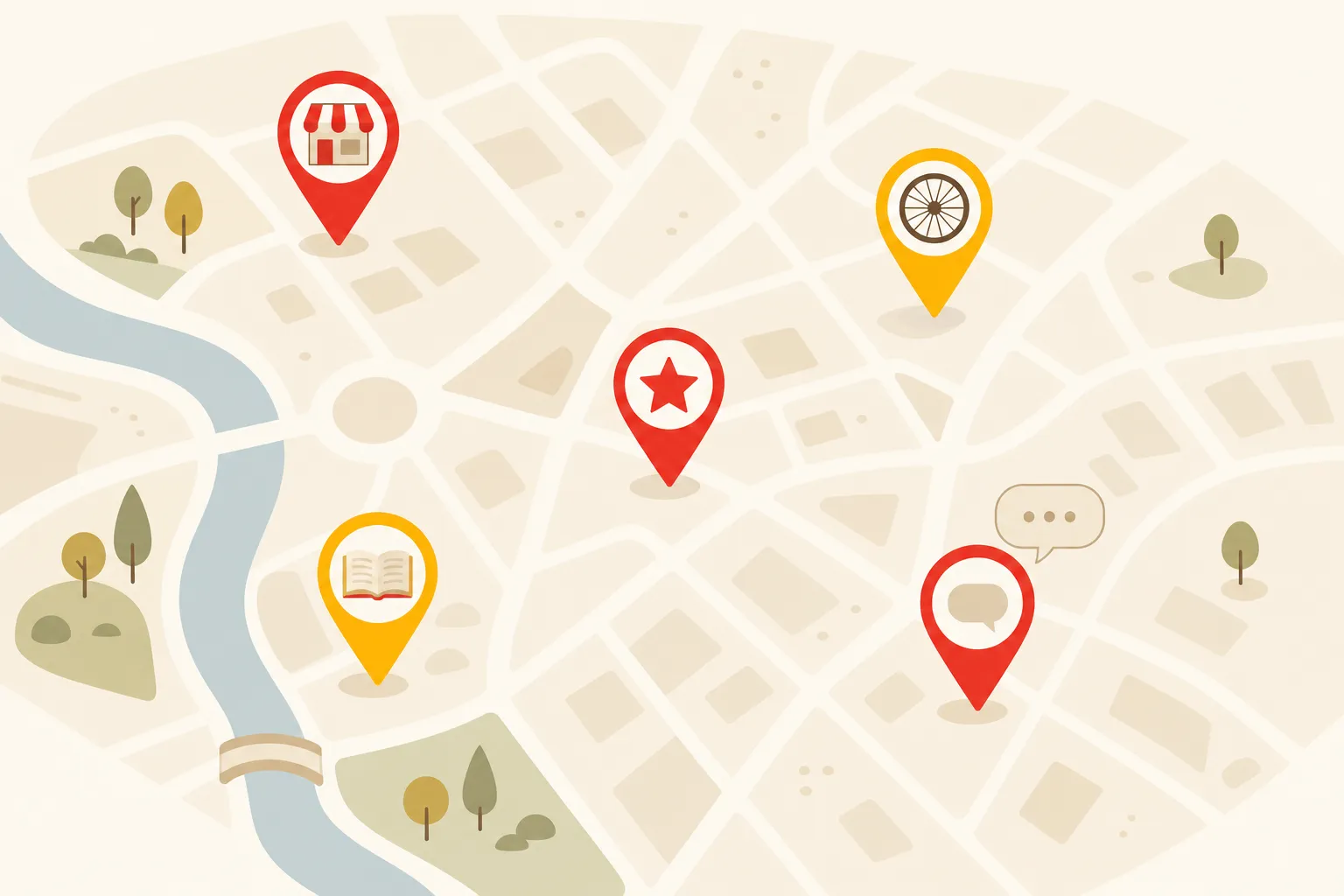
On the map.
- Each type can have its own pin color and an icon inside the pin, like a storefront for shops.
- Shops and libraries can sit at their exact address instead of a spot about a mile away.
- A type can be listed in search engines by default, so your dealers show up when someone Googles “cargo bike near me.”
- Each type can have its own message prompt. “Ask me about my commute” for owners, “Ask about a demo” for shops.
- Turn on a Type filter so visitors can look for just owners or just shops.
Behind the scenes.
- Separate application forms. One for owners, one for shops, each with its own questions and a default type. Your main form now lives at
/join/advocate, and your old/joinlinks still work. - Approving sets the type. An application starts with its form’s type, and you can change it before you approve.
- Limit things to a type. Wallets, offers, custom fields, tag groups, library items and advocate FAQs can each be limited to the types they’re for. Sponsored riders get their own wallet and handbook. Shops never see the owner referral offer.
- Types set the defaults. Each type sets whether new advocates can be messaged, whether they’re on the map, and how often they’re reminded to update their location.
- Filter by type on the Advocates list and in the inbox, and find the type in your CSV exports and the API.
Rule of thumb: use a type for what someone is, and a tag for what they have or like. If someone could be two of them at once, it’s a tag.
Why your brand cares: a dealer and a happy owner sell in different ways. A shopper hunting for a test ride wants the shop’s real address. A shopper wondering if the bike survives a Chicago winter wants the owner. Once Stoked knows the difference, each advocate gets to do what they’re good at.
For now, we set advocate types up with you. Reply to this email or write to stoked-help@stokedhq.com and tell us what kinds of advocates you have. Nothing changes for your community until you add a second type. Every admin can already see your types under Settings → Advocate Types. KB: Advocate Types.
Test Rides, Start to Finish
Last month the test ride moved into Stoked. This month we taught Stoked to do the part everyone forgets: follow through. Did the ride happen? Did anyone send the waiver? Those questions used to end with somebody scrolling through texts.
Every test ride, in one list. Go to Events and pick Test Rides at the top.
- Each row shows when it is, the advocate, the prospect, the city, whether the waiver is signed, and a status: Upcoming, Awaiting outcome, Happened, No-show, Called off, or Cancelled.
- Switch to Awaiting outcome to see the rides nobody has reported on yet.
- Filter by advocate, outcome or event type, then Export CSV.
- Click a row to jump into the conversation and record or fix the outcome.
Every ride gets an outcome. The “did it happen?” text now goes out after every event, with three answers: it happened, the prospect didn’t show, or we called it off. No-shows and called-off rides are tracked separately. They’re different problems. If an advocate forgets to answer, record the outcome yourself from the conversation. Mark it Happened and the reward claim is created for you.
Prospects hear from your brand, in your words.
- Prospects get a text when a ride is scheduled (with the time, the place, and the waiver link if they still need it), moved, or cancelled.
- Those texts are now signed with your brand, not the name of your advocate program. Want “The Wonka Team” instead? Set a Sender Name under Settings → Community Settings.
- Don’t love our wording? Every scheduled, moved, cancelled and reminder text is now editable under Settings → Message Templates.
- Advocate forgot the waiver? Use Actions → Send Test Ride Waiver in the conversation. It goes out from your number, signed by your brand, and replies still go to the advocate. The conversation notes who sent it and when.
Texts wait for a decent hour. Quiet hours now cover nearly every prospect, because Stoked works out their time zone from their first message, intro link or area code. Waiting texts show up in a Queued texts card on the prospect’s page and beside the conversation. If one can’t wait until morning, click Send now.
Why your brand cares: until now, most test rides happened where you couldn’t see them. Now you can count this month’s rides and no-shows, and see which advocates are carrying your program. That’s the start of answering the real question: did that ride sell a bike? And when the prospect’s phone buzzes with “Wonka Team: your test ride is moved to 3pm,” it sounds like a brand that has its act together. Because it does.
Community Events, test rides included, now comes with every plan. KB: Test Rides and Meetings, Waivers, and Active Hours.
Speedy Replier: Notice Your Fastest Advocates, Then Pay Them
A prospect texts an advocate at 7:40pm: “Does the long tail fit two kids AND groceries?” If the answer comes back in ten minutes, that prospect is still on your site. If it comes back Thursday, they bought something else on Wednesday.
The Reply Speed report already showed you who’s quick. Now Stoked acts on it.
The Speedy Replier tag. Every community now has a built-in Speedy Replier tag that Stoked adds and removes on its own.
- By default, an advocate earns it by answering 80% of prospects within 4 waking hours. Only the fastest 10% of your advocates qualify.
- Change the rules under Settings → Tags → Advocate Tags → Speedy Replier. A live preview shows who’d qualify before you save.
- It starts out visible to admins only. You decide whether advocates and shoppers see it, and can give it its own color, icon and message prompt.
The speedy reply bonus. Any reward tied to a conversation can now pay out automatically for a quick reply.
- Go to Settings → Wallet Configurations, open a wallet, and click Manage Activity Definitions.
- On a reward related to a conversation, fill in Reply Within (Minutes).
- Before you save, Stoked shows your advocates’ real reply times from the last 90 days and estimates how many claims that would create each month, and what it would cost. Type 15, then 60, and watch the estimate change.
- When an advocate replies in time, Stoked files the claim for them. It lands in your inbox for approval, or goes straight to their wallet if you’d rather.
The clock is fair. Hours outside an advocate’s active hours don’t count, and shop autoreplies (“Thanks for texting Spokes & Spanners!”) never count as a reply, for the bonus, the tag, or the report.
Why your brand cares: speed sells. The advocate who answers in ten minutes is doing your sales team’s job at 7:40pm on a Tuesday, for the price of a few reward points. Now you can reward that on purpose, and know the cost before you commit. KB: Speedy Replier Tag and Speedy Reply Bonus.
Quick Hits
Saved maps: one map per job
Last month we showed you how to link a product page to a filtered map. Now you can save the map itself. On the new Settings → Maps page, give a map its own location, zoom, heading, filters, pins and advocate list, then paste a short embed code. Show advocates, events or both, and shrink or hide pins that don’t match. Edit it later and every page using it updates, no developer needed. Existing embed codes keep working, and the floating button can open any saved map. KB: Saved Maps.
An inbox that keeps up
Conversations and the inbox now update live. New messages appear without a refresh. Done with something but the conversation isn’t over? Archive it with e. It comes back the moment the prospect writes again. Inbox cards also got consistent buttons and finally behave on a phone. KB: Activity Inbox.
Events and Shopify on every plan
We used to switch these on one community at a time. Now your plan decides. Community Events (public events, RSVPs, test rides and meetings) and the Shopify integration come with every plan. Analytics comes with Pro and Enterprise (check Settings → Your Plan). If you already had any of them, nothing changes. KB: Plans & Upgrading.
Advocate profiles stay out of Google unless you opt them in
Most advocates would rather not be the top search result for their own name. So profiles are now hidden from search engines by default. Shops and dealers want to be found, so we opted in every one we could identify. Worth a two-minute check: open your shops’ profiles and make sure Advanced Options → Show in search engines? says Yes. KB: Editing an Advocate’s Profile.
Location reminders for advocates who travel
Some advocates winter in Arizona and summer in Michigan. Now they can pick a reminder schedule under Edit Profile → Location reminders. One tap on “Use my current location” or “I’m still here” moves their pin (still about a mile off, as always). Daily, weekly and every-two-weeks reminders are on Pro and Enterprise. Less frequent ones work on every plan. KB: Advocate Location Reminders.
The dashboard guesses today
The Site Visitors and New Conversations charts now show a dashed forecast for today, based on the same weekday over the last four weeks. Today’s real count sits beside it. At 2pm you can finally tell a slow day from a normal Tuesday. KB: Dashboard.
The API grew up
The API launched in October, and the first teams to pipe it into their warehouses told us what was missing. New this month: wallet transactions (every credit, debit and reset, linked to what earned it). Also test rides, applications, advocate types and advocates’ social accounts. Each new area has its own permission under Settings → API Keys, and each starts off on existing keys. We also did a consistency pass, so a few field names changed. If your developer already built on the API, send them the consistency pass notes. From here on, renamed fields keep their old name for at least four weeks. KB: Stoked API.
Your tracking snippets actually track
Pasted a Google Analytics, Meta Pixel or tag manager snippet into Settings → Analytics and saw nothing happen? You weren’t imagining it. Our security settings were quietly blocking part of most vendor snippets. They run now, and changes reach visitors on their next page load. KB: Analytics & Tracking.
Under the Hood
My favorite fix this round was a sneaky one. Our public forms include a hidden field that catches spam bots. Chrome’s autofill, trying to be helpful, sometimes filled that hidden field with the visitor’s email. The form decided a real person was a bot, showed them a blank page, and threw their application away. It’s fixed for advocate applications, messages to advocates and event RSVPs. Spam protection still works.
Smaller things rode along. Long texts with an emoji in them get delivered again. Adding an advocate no longer leaves a half-saved record behind when something goes wrong. Failed address saves, import rows and FAQ saves now tell you so instead of failing quietly. Dropdowns show every option and keep your selection. When our messaging provider is slow, delivery updates get retried instead of lost, so the Message Log tells the truth more often. And bots probing for weak spots now get turned away at the door.
Every real applicant gets through. That’s the job.
Looking Back, Looking Forward
Ten Dispatches now, and one year since the first one last November. Back then the headline was a dashboard that told you something. A year later, Stoked can tell an owner from a dealer, and it signs its texts with your name.
First we built the places where advocacy happens: the map, the inbox, the waivers, the rewards. Then we got out of the inbox and into the real world. Now Stoked is learning that your advocates aren’t all alike, and treating each one the way you would.
There’s more in the workshop. Same rule as always: you’ll hear about it when it ships.
Got an advocate who doesn’t fit any type we’ve imagined? I want to hear about them. Reply here, hit the in-app feedback button, or email stoked-help@stokedhq.com.
More from The Stoked Dispatch:
- Out of the Inbox — The Stoked Dispatch, October 2026
- Long Time No See — The Stoked Dispatch, September 2026
- Signed, Sealed, Delivered — The Stoked Dispatch, June 2026
- Better Late Than Never — The Stoked Dispatch, May 2026
- Reward, Release, Respond — The Stoked Dispatch, March 2026
- This One Goes to Eleven — The Stoked Dispatch, February 2026
- Find Your People (Faster) — The Stoked Dispatch, January 2026
- One Inbox to Rule Them All — The Stoked Dispatch, December 2025
- See the Big Picture (Literally) — The Stoked Dispatch, November 2025
More from the Stoked blog: